In our 7th show floor report from AIA26, we cover more AI software companies such as ArchiBoost AI, Structured AI, and others. Plus, we look at some key firms we have covered in the past at AIA and some new ones. We will start with the new AI companies first.
More AI Software
ArchiBoost AI
ArchiBoost AI is another AI-powered QA/QC compliance software, but also a tool that functions as a knowledge hub for your firm. As their website says, “Every project depends on two types of intelligence: what your firm already knows — and what this project uniquely requires.”
ArchiBoost AI works to bind these two together, linking the first knowledge layer (Firm Intelligence) to the second layer (Project Intelligence). That first layer is about what you reuse, including BIM execution plans, documentation standards, QA/QC checklists, internal best practices, specifications, and master spec templates, etc.
The second layer is about what the project demands uniquely across standard data and documents.
As we noted in reports twice now, using AI software for scanning and reviewing plans and models was the hot big thing at AIA26 this year in San Diego. Suddenly, QA/QC (quality assurance and quality control) is all the rage. And while many new firms were showcasing such technology, other important leaders in this segment were not at AIA26, like VitruAI, which has truly ambitious plans for agentic AI in AEC.
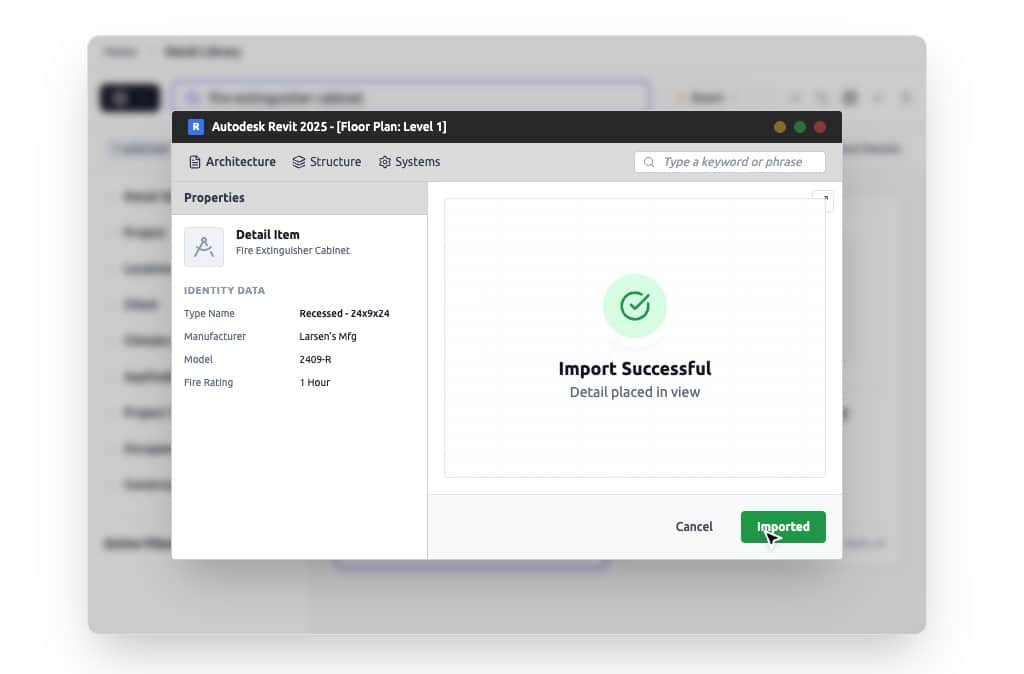
ArchiBoost AI image showing its knowledge hub structure. A firm’s best details shouldn’t disappear into archival folders. ArchiBoost extracts metadata from a firm’s past projects and builds a living, searchable library that evolves with your firm.
There is an interesting differentiator between these new AI-powered QA/QC software systems. Some work with the PDF output only, while others work with the actual BIM models. In the case of Architosh AIA26 BEST of SHOW winner Kestrel Labs, their solution works inside of Revit via a plugin. It also works in a web browser as a general code compliance system to help architects understand requirements on a project before they even have BIM models. Kestral Labs’ system is designed for the duration of the project from inception to post-occupancy. And Kestrel Labs is aiming to work not just on Revit but also soon on SketchUp models. That part has us excited because we believe that is quite challenging to do.
MORE: AIA26: Kestrel Labs — Native BIM Compliance Platform
At the same time, VitruAI, like Kestrel Labs, works inside Revit as a plugin. But VitruAI is an agentic AI production system, not just a QA/QC platform. Their plans are grander and more ambitious. They are starting with codes, compliance regulations, office standards, and project requirements, but they have AI agents planned for much more within their VitruAI Labs, including AI agents for structural sizing, MEP routing, and a document-parsing AI agent. And their roadmap for agentic AI is even larger. Plus, they are looking at integrations between VitruAI and Solibri, SketchUp, Rhino and Grasshopper, and IFC. We bring this up about VitruAI to point out that developers are looking at the entire architectural process as being served by AI agents at every step, across more tools than just Revit.
Arcol
Arcol won the AIA Architosh BEST of SHOW award for the BIM category two years in a row this year. The well-funded BIM 2.0 industry darling has won over numerous top architecture firms and since last year added marquee US large construction firms to its client roster.
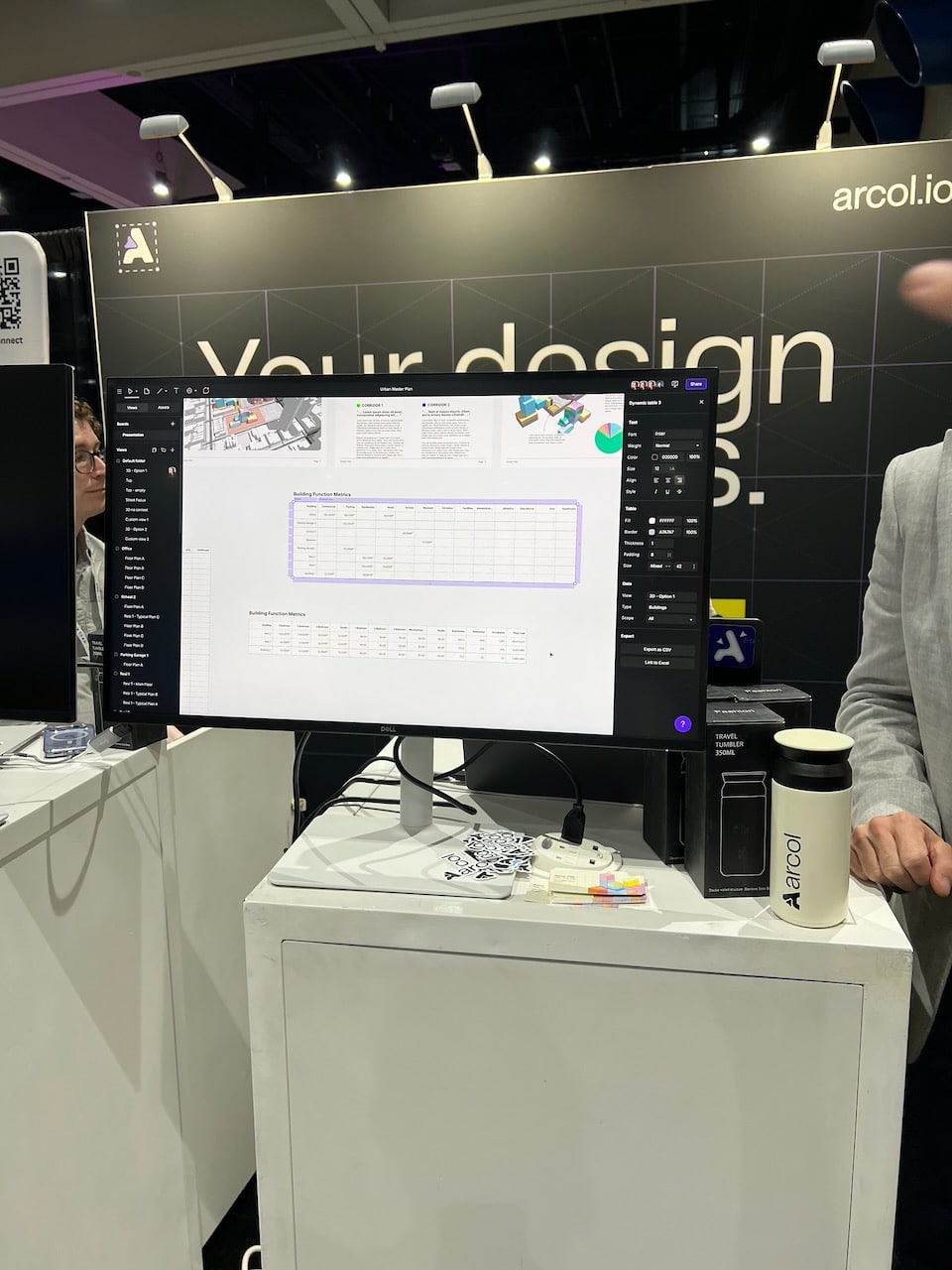
Arcol is showing its new integration of spreadsheets that can be bi-directionally synced with Excel files.
This momentum is driven by continuous innovative development, adding useful features to its easy-to-use UI and UX. The latest is the bidirectional bridge between Rhino 3D geometry and Arcol. As senior associate editor Architosh Pete Evans, AIA, remarks:
Adding Rhino as a live, two-way directional bridge allows a new, very strong accelerator to data-rich modeling form that is unlimited.
Arcol had already added Boards to its BIM 2.0 program in the summer of 2025, but recently they added sophisticated table linking so that Arcol model data can be linked into other table applications or worksheets such as those for pricing data.

Arcol firmly believes that agentic AI will power Arcol along with human architects in the near future.
While agentic AI is being plumbed into Arcol today, a distinguishing feature of Arcol is its Figma-style multiplayer engine that allows multiple architects, owners, builders, and others to click a link and enter the same model (file) and simultaneously edit geometry in real time without file locking, manual syncing, or lag. As you work, you can see your teammates’ cursors moving around the user interface. In the near future, instead of seeing your human teammates’ cursors in the UI, human architects will also see the cursors of AI agents working in the model as well. That is the vision of the future!
Egnyte
Egnyte is a leading platform for secure file sharing, content management, and governance. Unlike enterprise cloud storage offerings from Dropbox, Box, Microsoft and others, Egnyte is specifically tailored for industries with heavy data loads, complex file types, and strict compliance needs—such as AEC, life sciences, and legal.
Egnyte is a hybrid cloud architecture platform and virtual appliances that run on a local office server or a network-attached storage (NAS) computer and mirror the Egnyte cloud data. Dropbox and similar offerings, instead, are direct-to-cloud syncing platforms. Clients individually link to the cloud and sync directly to files whose masters are stored on the Dropbox cloud.
One powerful advantage of Egnyte is performance and data file protection. Since the appliance server syncs to the Egnyte cloud rather than to an architect’s own computer while sitting in the office, the architect can work swiftly, opening a 2 GB AutoCAD, Revit, or Archicad file and working at local gigabit network speeds (near instantaneous). Egnyte quietly syncs changes slowly in the background (the work happens between the Egnyte appliance and the cloud)
The other advantage is true file locking. Folks who use Dropbox and similar cloud services know that if two people try to open the same file at the same time, it is possible, and users only get soft warnings. But they can also get, in some cases, “conflicted copies,” which create a mess for IT and BIM managers, not to mention end users.
With Egnyte, you can use the platform as a cloud service, or you can deploy a NAS or appliance on your network in your offices (yes, offices as in plural). Egnyte can sync multiple appliances across offices worldwide. Having the hybrid architecture helps with large-file access and write speeds on local LANs within offices, particularly for very large files.
A newer feature in Egnyte is secure AI (artificial intelligence). You can turn files within an organization into “firm-wide knowledge” to power both collaboration and governance. Using Anthropic’s MCP technology, users working across a myriad of applications can use Egnyte’s AI chat box to ask questions about projects and teams, and the AI accesses data from email and other applications.
Egnyte AI MCP connectors today include Gmail, Jira, Confluence, Procore, Slack, and others, plus a growing library of other apps. The AI can draft responses, like for email, and then send the draft back to Gmail as a draft after you approve it. This essentially turns Egnyte into a central intelligence hub.
In addition to the performance and data security benefits, Egnyte has specific AEC-only features, including XREF and path preservation (for DWG/AutoCAD files), smart cache SMB collaboration for single-site Revit Co-Editing, and integrations with Autodesk Forma Cloud, Procore, and Bluebeam Studio.
Layer
In 2019, the innovative mobile-cloud-first application Layer won Architosh AIA BEST of SHOW in the Mobile + Cloud category. Since then, the application has continued to evolve. Layer was not shown in a booth at AIA that year but was a major feature in a large, well-attended educational session that Architosh attended.
Layer 4 is the current version of this innovative app that refers to itself as a “workflow platform for buildings.” Being mobile-cloud-first, Layer is very strong in the field capture of data and photos and the management of the same in the field on your mobile device.
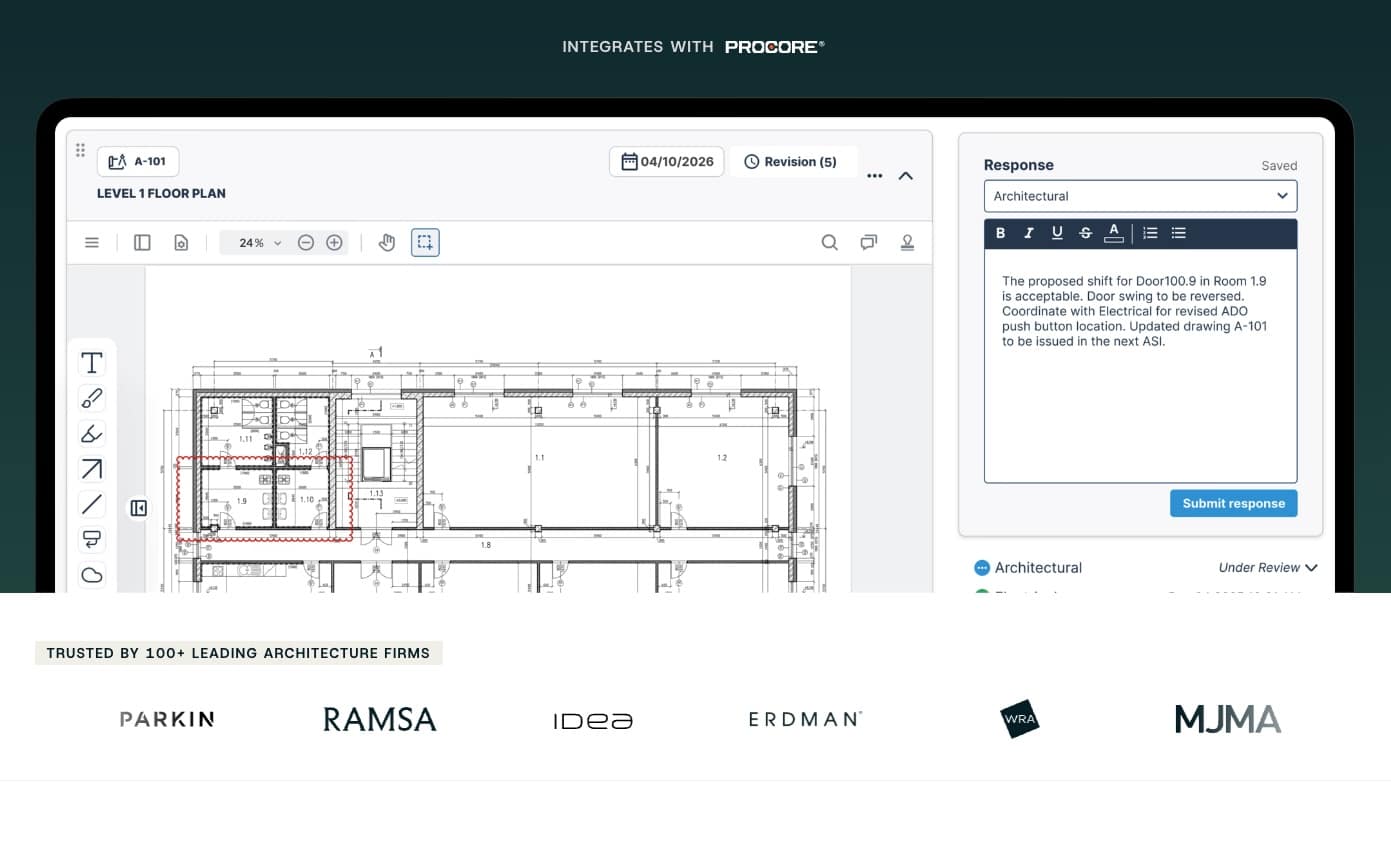
Layer 4 is the latest version of this award-winning app for architects. The modern platform helps architects work smarter with data records, getting data away from inefficient spreadsheets and into Layer. Layer has a flexible UI/UX and can be configured in infinite ways. It is ideal for collecting survey data of existing buildings, FF&E management, field reports, Room Data Sheets, CMMS, and more.
For those of you old enough to recall the FileMaker Pro solutions built for the architecture industry back in the 1990s, Layer shares one common aspect with that legendary relationship database tool—the ability to easily customize the data fields in the UI/UX and the reports the application can spit out. On some level, Layer is the heir apparent to FileMaker Pro in AEC since that application and the company behind it (Apple, of all things) have largely turned their backs on AEC.
Layer 4 is designed to reduce your firm’s use of spreadsheets like Excel or Google Sheets. It’s not that spreadsheets are evil, but that spreadsheets are horrible to work with in the field on mobile devices. And they are also horrible to work with as a way to store data records of things like furniture, equipment, appliances, and all manner of objects that are placed in buildings.
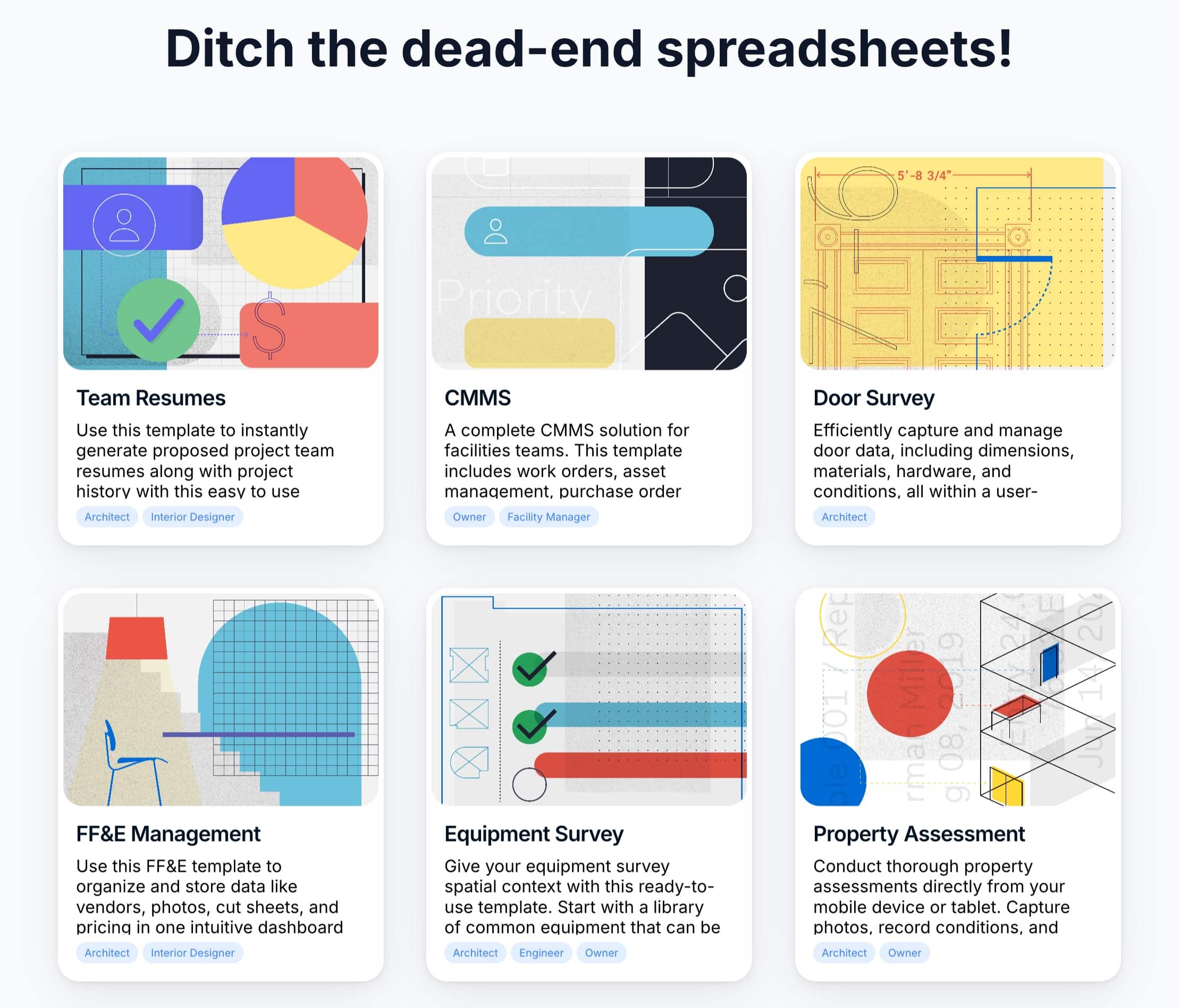
These are just a sampling of the pre-build templates for managing this kind of data inside Layer 4.
Layer 4 works with Revit so you can link Revit to your Layer data fields. Layer has captured the attention of leading architecture firms, including POPULOUS, AECOM, DMA, Leo A Daly, SmithGroup, and others.
Bimbeats
BIMbeats is an analytics platform for architecture firms. The firm says, “We automate data collection and visualization so you can understand how your team really works, what’s helping, what’s slowing you down, and where to focus next.”
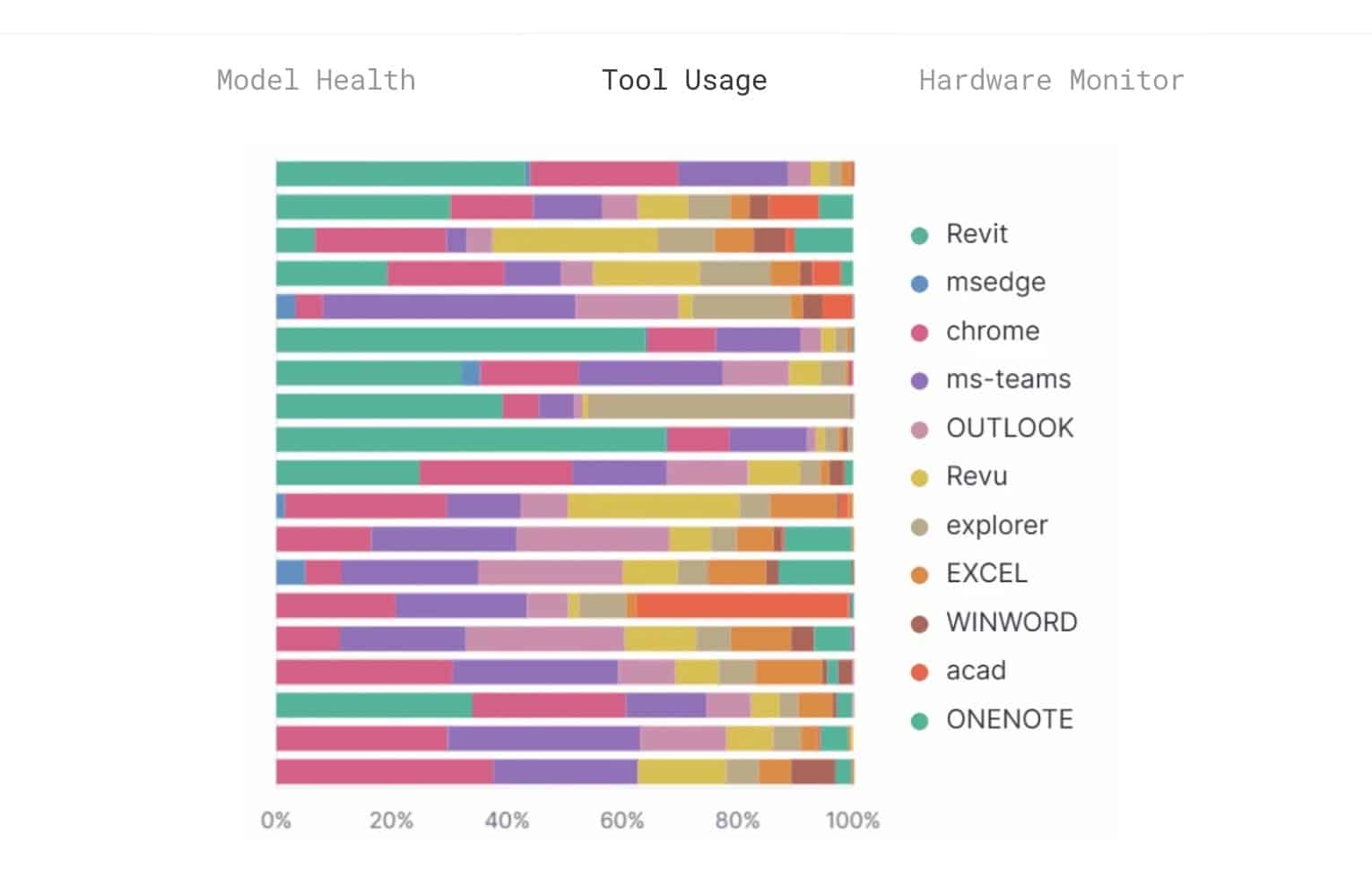
BIMbeats is software that helps practices right-size computing equipment and software. From this perspective alone, the software can more than pay for itself by helping to find performance bottlenecks and underutilization of powerful equipment.
What BIMbeats does is integrate with leading industry tools like Revit, AutoCAD, Bluebeam Revu, Tally, Rhino, Grasshopper, Adobe, Navis, Enscape, and many others. It gathers data about these tools and their utilization by staff, the sizes of files, and how the hardware in your firm is running these applications. From this data it can surface patterns and provide insight about them, like file size warnings on projects, in-place Revit Families, total sheets, views, etc.
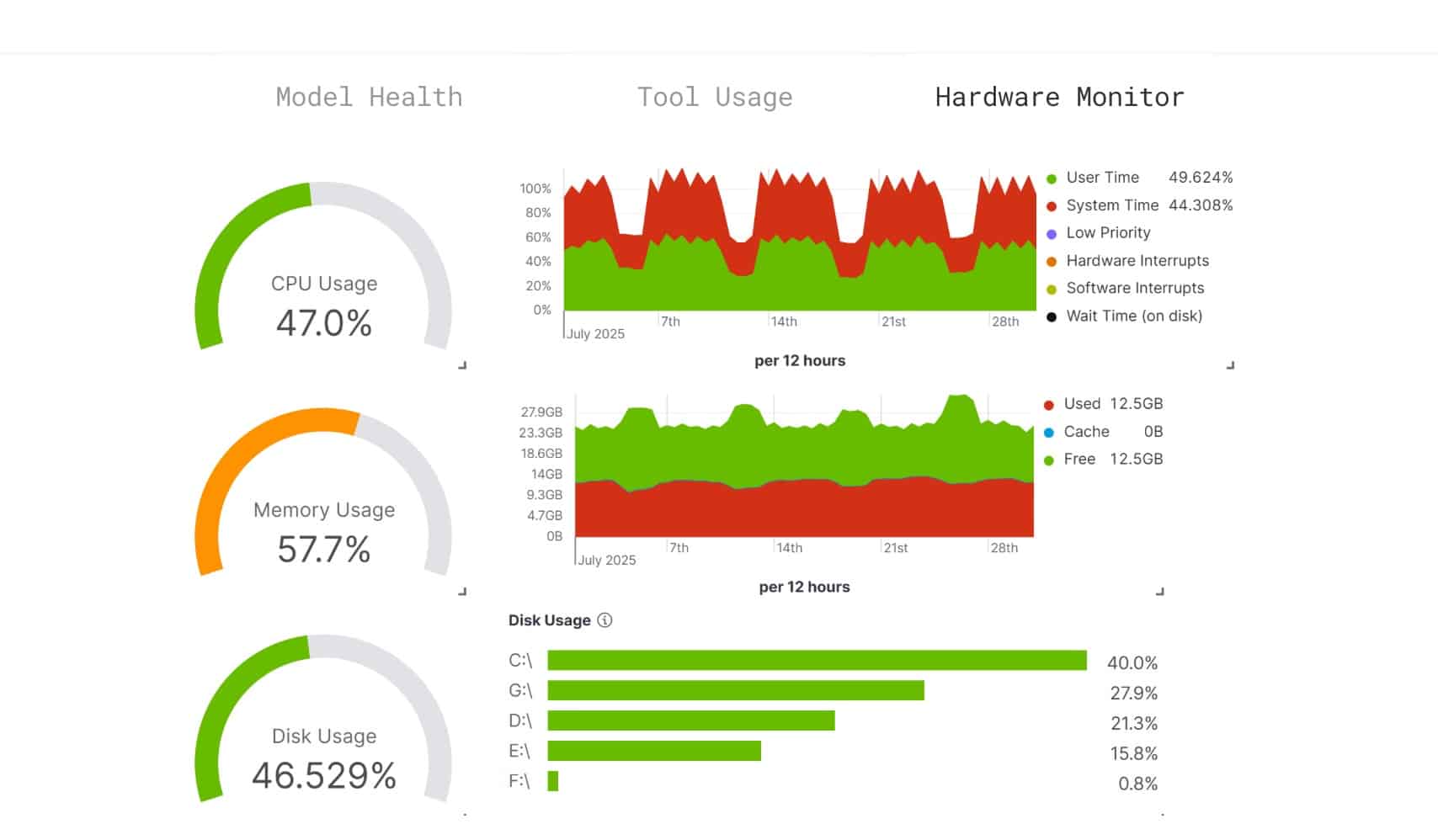
BIMbeats showing the hardware monitoring charts in its interface.
Hardware monitoring is useful so firms can better plan for future hardware based on their equipment is actually used. This can help firms reduce over-spec’ing computer equipment when users actually don’t fully push such equipment to the max or are not using apps that require that level of power. It can also show the opposite and reveal bottlenecks.
Other Show Reports
AIA26: Expo Show Report 1 — Autodesk
AIA26: Expo Show Report 2 — Nemetschek Group
AIA26: Expo Show Report 3 — Trimble and SketchUp
AIA26: Expo Show Report 4 — Chaos
AIA26: Expo Show Report 5 — neoBIM, and other AI apps
AIA26: Expo Show Report 6 — xFigura, CODii, others
AIA26: Expo Show Report 7 — Layer, Arcol, Egnyte and more…