Vectorworks, a global design and BIM software provider, has this week announced Update 4 for its current Vectorworks 2026 product line. The latest update adds next-generation rendering technologies and numerous other new capabilities, including data-driven phasing workflows.
Update 4
This is the fourth major update to the Vectoworks 2026 product line, and it expands on capabilities that architects, interior designers, and other creative professionals are looking for, including enhanced data-driven design workflows.
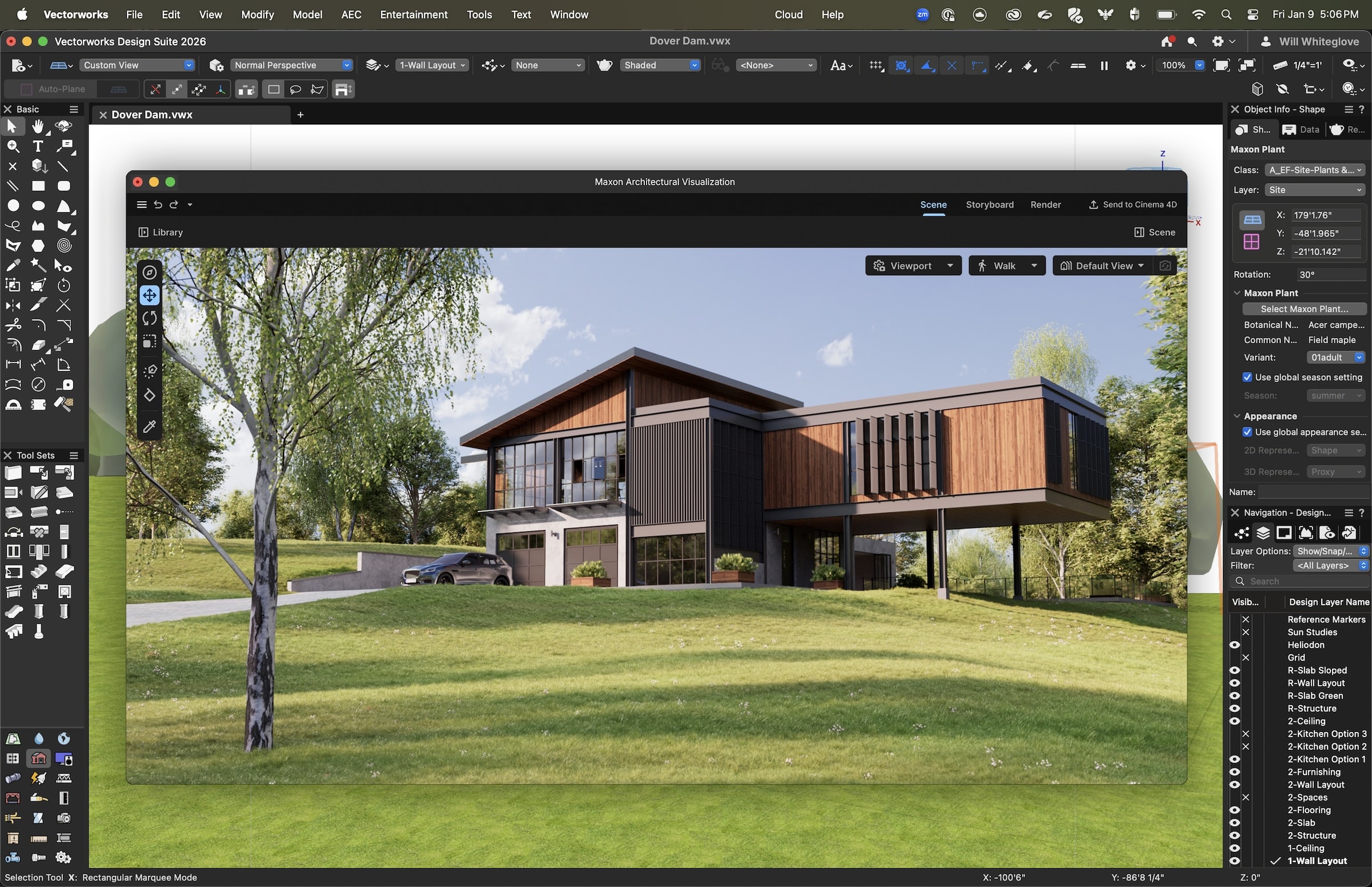
Maxon Redshift for Vectorworks is a plugin for the BIM software adding real-time, photo-realistic, GPU-accelerated raytracing to Vectorworks workflows.
“Vectorworks 2026 Update 4 reflects our ongoing commitment to empowering designers with smarter, more efficient tools,” said Vectorworks Vice President of Product Development Hugues Tsafak. “From the first iteration of phasing, supporting various project types and sizes, to enhanced sustainability dashboards and Maxon Redshift for Archviz, this release leverages our strength in data management to help designers plan, document, and visualize projects more accurately and sustainably. We remain committed to evolving these tools to meet the growing demands of modern design.”
Details
Already covered in some detail in this report on Maxon, new in Update 4 is support for Maxon Redshift for Vectorworks, bringing next-generation visualization rendering features to the popular design and BIM software platform. Vectorworks is the first of the four major BIM platforms (Revit, Archicad, Vectorworks, and Bentley), used by architects worldwide, to leverage a direct integration with Maxon’s Hollywood-level Redshift rendering technology. As Redshift is available as a standalone product from Maxon, those with existing Redshift licenses can now access the integration directly from inside Vectorworks 2026, Update 4.
MORE: Maxon Enters AEC with Real-Time Rendering
Unlike export-based rendering workflows, the Maxon Redshift for Vectorworks plugin maintains a live synchronization between your Vectorworks main window and your Redshift rendering window. Geometry, lighting, cameras, and scene elements remain aligned between both environments.
Update 4 also introduces new renovation and multi-phase workflows technology. Now, a time-based dimension is embedded directly into your BIM model, assigning defined status conditions. With data visualization integration, Vectorworks 2026’s new phasing status capabilities can now control object visibility and graphic representations.
Other improvements included below in highlight format include:
- Updated Vectorworks Embodied Carbon Calculator (VECC)
- Improved Class and Layer search for AEC professionals
- Linear Material tool now includes world-based parameters for stucco and plaster
- Hedgerow tool is now fully integrated into the Styled Landscape Area object
- Refinement in Spotlight numbering device management tools for Entertainment Industry professionals using Vectorworks Spotlight 2026.
- New Cable tool insertion modes for enhanced efficiency
This update is now available for all currently released English-language versions of Vectorworks 2026 and is immediately accessible to subscription and Vectorworks Service Select customers. To install, select “Check for Updates” from the Vectorworks menu (Mac) or the Help menu (Windows).
Redshift Availability
Maxon Redshift for Vectorworks, which powers the new live rendering integration in Update 4, is available as a standalone product from Maxon and can be purchased either through Vectorworks or Maxon. To use Redshift for Vectorworks, customers must create a Maxon account and purchase a Redshift subscription.