Trimble this month announced a major update to SketchUp, featuring powerful new advancements in collaboration and documentation. The world’s most popular 3D modeling software now boasts private sharing control, in-app commenting, and real-time viewing, thus allowing project designers to capture feedback from project stakeholders directly inside of SketchUp.
Additionally, there are new professional 2D conceptual drafting tools in LayOut and much more, as we describe below.
SketchUp Advancements
As part of SketchUp for Desktop, there are now all-new sharing and real-time viewing capabilities. Architects and designers can securely share models with stakeholders, controlling who can view and comment on the model shared. The built-in commenting functionality allows those with whom the model is shared to add comments and attach them specifically to 3D geometry, ensuring conversations are linked to the relevant part of the model.
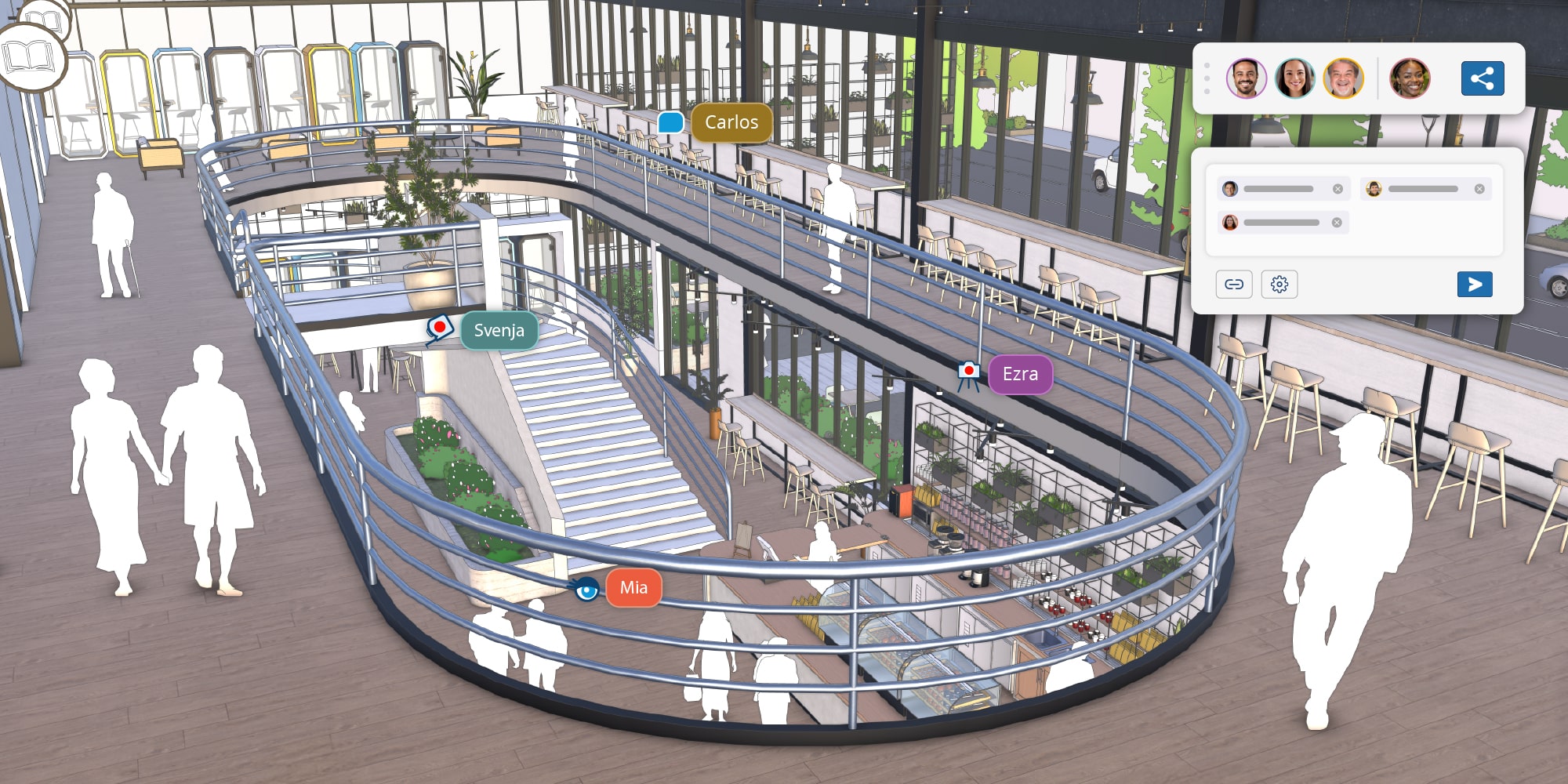
The latest SketchUp launches with in-app collaboration and real-time multi-party participation.
All collaborators see instant updates to the model, creating a shared space for real-time design conversations. Moreover, cursor and camera tracking features allow clients and stakeholders to follow along during presentations, making sure nobody gets lost and everyone is on the same page.
“Great designs are shaped by conversation, iteration, and shared insight,” said Sandra Winstead, senior director of product management, architecture, and design at Trimble. “Rather than jumping between email threads or third-party tools to hold conversations, collaborate, and make design decisions, we’ve built collaboration directly into SketchUp. Now, designers can have a two-way dialogue with clients and project stakeholders in the SketchUp model for quicker iterations and better alignment throughout the design process. Collectively, from collaboration to documentation, context and visualization, these advancements impact critical design workflows, helping designers move from concept to reality with greater speed, clarity, and confidence.”
Improved Documentation
SketchUp comes with LayOut, its paper-space-oriented application for setting up drawing sheets with basic drafting capabilities. There are now new 2D drafting tools that are more intuitive and precise for drawing common documentation tasks. There is also a new set of scrapbooks for quick access to standard architectural graphics, such as doors and windows for scaled, 2D composition in LayOut.
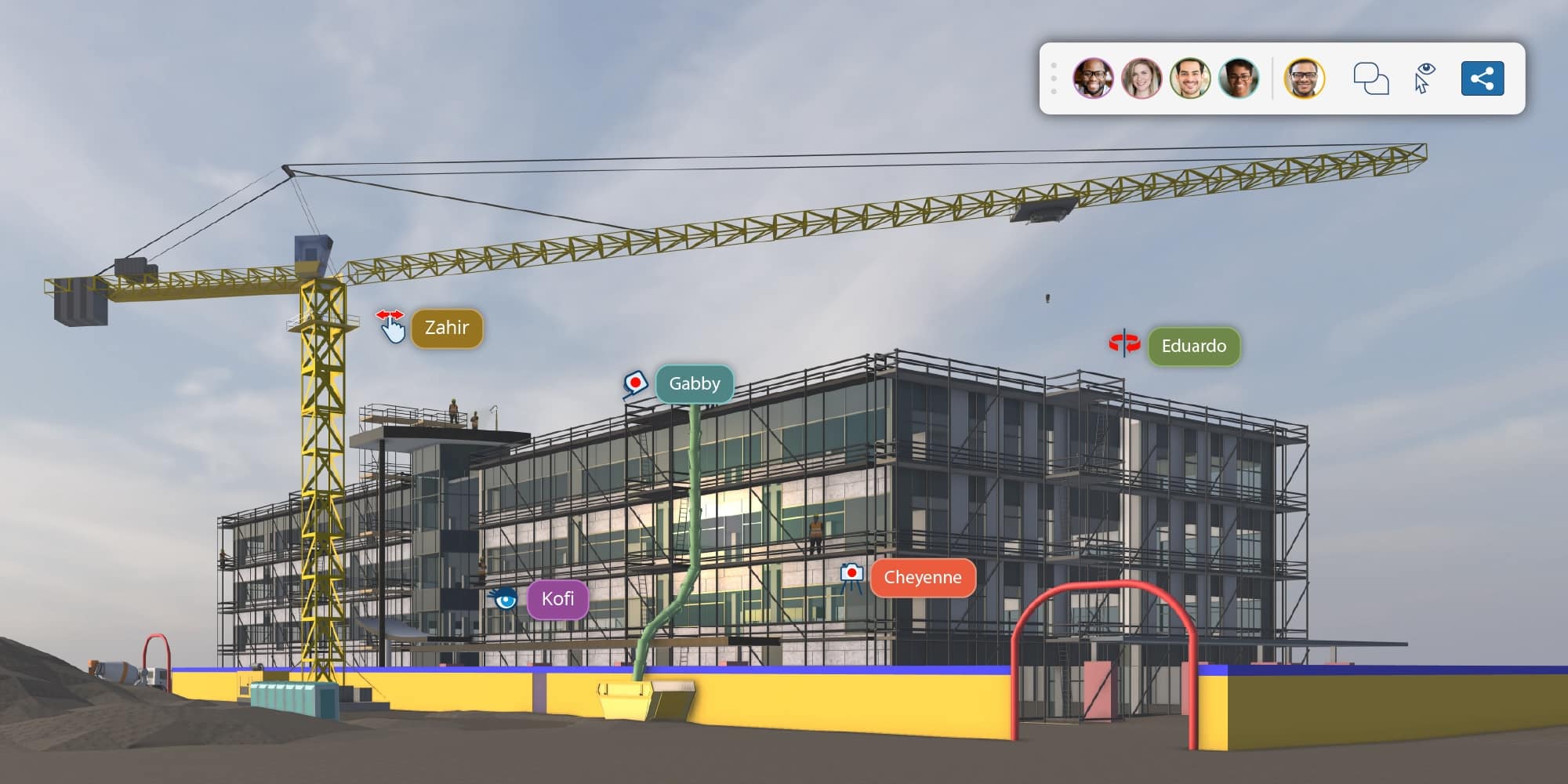
Real-time collaboration will be a benefit for Construction Industry professionals as they utilize SketchUp as a construction BIM platform.
Additionally, this latest version of SketchUp features enhanced DWG export and preserves SketchUp geometry and tags, and rework is minimized when moving from 3D in SketchUp to 2D in other CAD and BIM tools.
Improved Site Context
Upgrades to Scan Essentials streamline the process of adding real-world conditions from point clouds into designs and create a seamless workflow when working with a shared coordinate system. New tools, Textured Projection, Surface Mesh, and scene management capabilities open up more efficient and improved ways of working with point clouds for visual outputs. Users have new import options in Add Location to easily add existing buildings into the terrain as pre-built 3D geometry.
Visualization
The visual qualities of SketchUp have also been enhanced. Users gain more precision in stylistic control and a wider range of options, from Color Ambient Occlusion, Ambient Occlusion Scale Multiplier, and Invert Roughness. An upgraded Diffusion Labs offers higher-fidelity AI visualization, enabling greater control over the scene.
Architosh Analysis and Commentary
These latest updates to SketchUp are transformative, turning the popular AEC 3D modeler into a real-time collaboration platform. With the features we discussed during the AIA25 BEST of SHOW award honors, we see Trimble slowly turning SketchUp into a different kind of BIM platform—one focused on “design” as opposed to “documentation” with the key BIM 2.0 characteristic of real-time, multi-party collaboration at its center. While SketchUp continues to gain more advanced features, it manages to keep its overall ethos centered on its class-leading ease-of-use.
This focus on ease-of-use may explain why SketchUp has, up to this moment, refused to address long-term demands by some of its users for more advanced (Rhino-like) modeling features built into the program as opposed to third-party add-ons filling that need. Indeed, its ease-of-use factor enables the flattest onramp to learning 3D software in the AEC industry and thereby wider stakeholder participation, which is why it remains popular with construction professionals as much as with architects, landscape architects, and interior designers.
Instead of challenging Rhino for the hearts of young architecture students, Trimble is focusing on SketchUp for seasoned AEC professionals, layering in BIM 2.0 features and slowly turning SketchUp into a new kind of BIM 3D collaboration platform anyone can use.